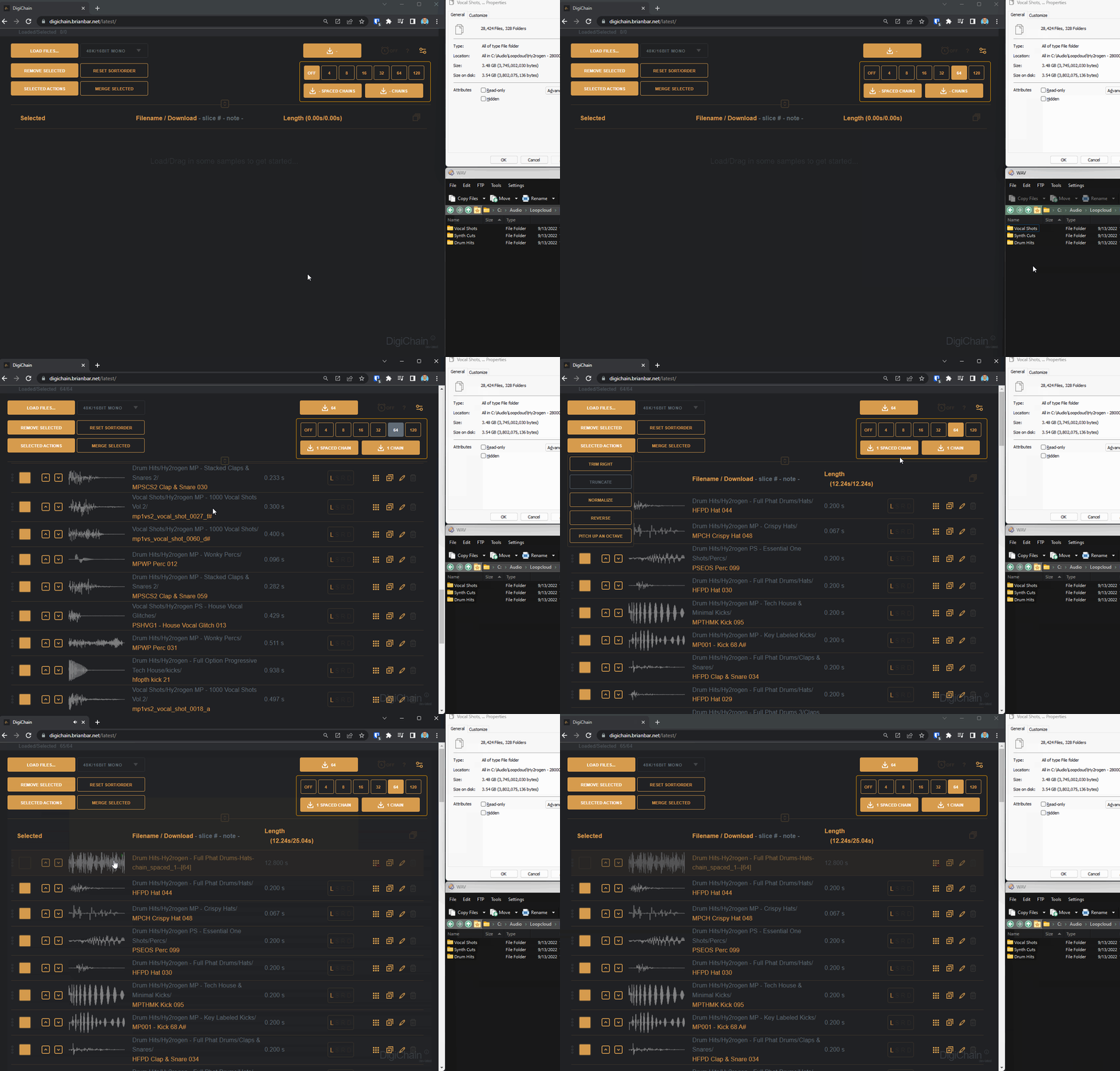
DigiChain v.1.4.6

  • Convert chains between evenly spaced and unspaced chains from the slice panel. Works with DC, Octatrack, and OP-x slice data. When converted to a spaced chain, if the grid-size is set to a value, the new chain will be padded to this number.
  • Ctrl+Click to preview slices before slicing a sample.
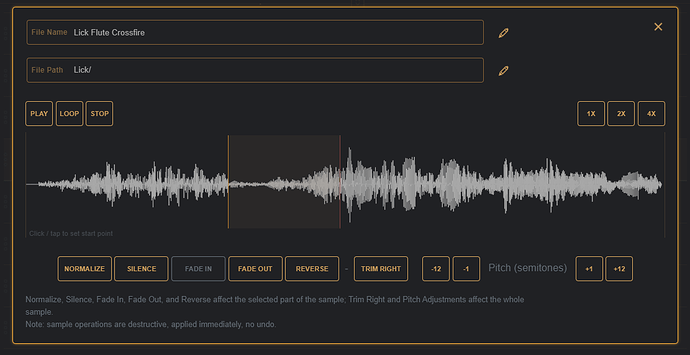
  • Slice editing on sample edit panel, create/update/remove slice markers.
  • Playback/looped playback on the sample edit panel follows the selected region on the waveform.
  • Show stereo waveform if available on sample edit panel.
  • Update the row waveform when changing the mono rendering method.
  • Moved around the edit panel UI.
  • Added LRSD controls to the edit panel.
  • Remembering slice position/selection when changing options on edit panel.
  • Edit panel LRSD / play/stop keyboard shortcuts on edit panel.
  • Allow generating .ot metadata file on 16/24 44.1 mono exports.
  • Option in settings to match the end sample with the start sample (if possible), to help reduce clicks for samples that will be played looped. (can result in shorter than specified samples).
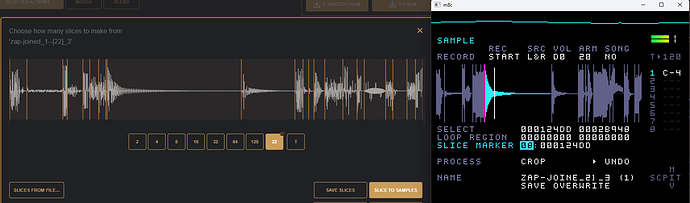
  • Read/write wav file cue point markers into DigiChain slice data (adds compatibility for Dirtywave M8 to read chains, and to import the slices from M8 to DigiChain).
  • Added basic sample stretching (which does affect pitch), stretch selected samples to shortest or longest sample in the list, or hold shift to set a custom length in seconds. (this will remove any slice data for the modified samples).
Read More »

DigiChain v1.4.5

  • Improved the note from filename detection and sorting.
  • 44.1/48K 8bit mono/stereo file exports.
  • Crush selected actions action to add some crush/distortion to the sample.
  • Pitch up/down in cents in sample editor panel. (click the ‘Pitch (semi-tones)’ link to toggle between semi-tones and cents.)
  • Squashed a few bugs in output file rendering, and UI scaling.
Read More »

DigiChain v.1.4.4

Just pushed up v.1.4.4 update to the main URL:

  • Minimizes reported click/pops on exported chains when importing wav files of differing sample rate to the target sample rate, or when using audio interfaces configured with small sample buffers. On by default at a 40% threshold, user configurable thresholds and can be disabled via settings panel.
  • Added fuzz selected actions action to add fuzz/noise into the selected samples.
  • Added fade-in fade-out selected actions to fade in/out the first/last 256 samples of each selected sample.
  • Blend panel to blend/interpolate between the selected samples (works best when the samples are similar in duration).
Read More »

DigiChain v1.4.2

v1.4.2 is now live

  • Hold shift key while dragging in samples to import randomly up to the currently chosen grid-size.
  • Default to limit the number of imported samples to 750, to reduce risk of timeouts – can be disabled in the settings panel.
  • Limiting the max chain length to 64 slices when using the timed chain length in non-aif audio context, Aif context stays at max 24 slices.
  • Setting the default Shift import random drop value to 256 if no slice grid value is selected (this prevents accidental import of large numbers of files, Ctrl+click a slice-grid number and set a custom value to import more than 256 samples randomly).
  • Ctrl + Click on the Selected header text will toggle all the samples selection to all selected / all de-selected.

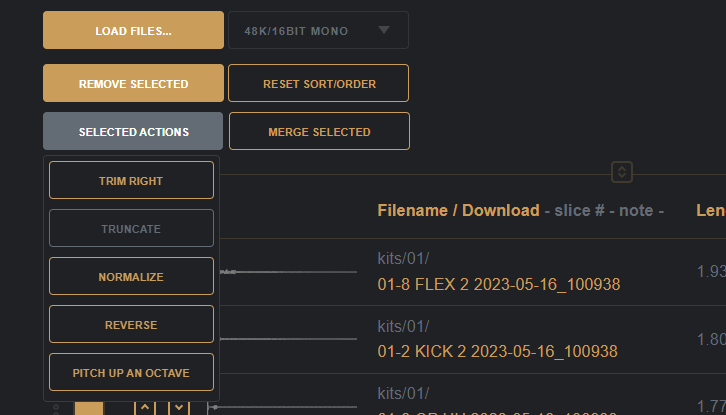
Lots of happy accidents to be had choosing 64 on the grid, then dropping in thousands of samples while holding the shift key down to only import a random selection of 64 samples – you can then use the selected actions button to truncate them all (hold shift while clicking truncate to set your own sample length, try 0.1 to get small snippets of the audio to join into the chain), normalize and then build the chain.

DigiChain v1.3.0

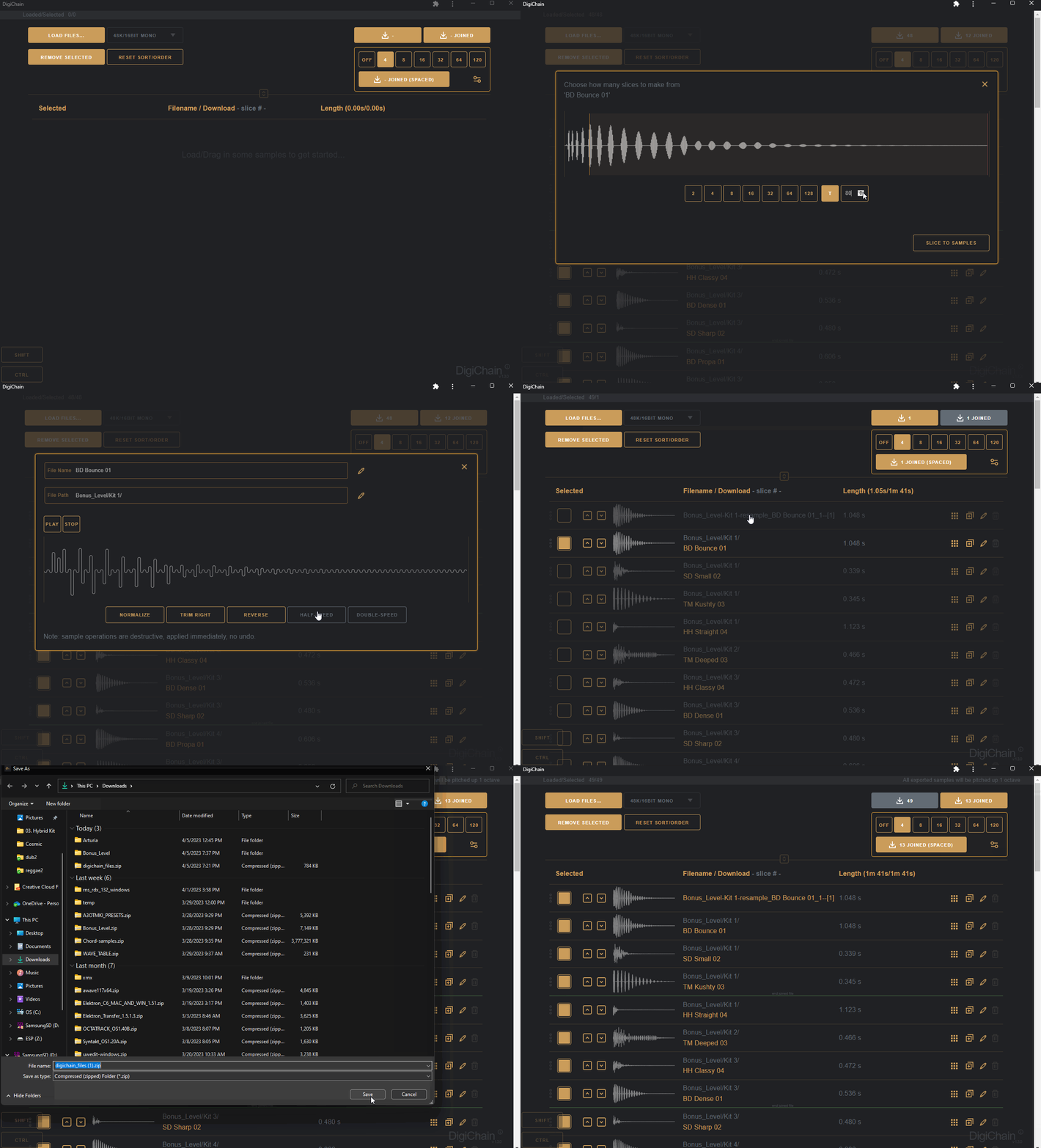
DigiChain is a web app made to make the creation of sample chains as easy as possible for use on the Digitakt (and any other sampler that can slice up samples).

https://digichain.brianbar.net/

While originally created as a tool to help make evenly spaced sample chains to use on the Elektron Digitakt’s slice grid machine introduced in the 1.5 firmware update, DigiChain has grown to incorporate other features, many of which were suggested by the good folks over on the Elektronauts forum.

Features

  • Import .wav/.syx audio files and converts them to the chosen audio context (e.g. 48k/16bit, 44.1k/24bit etc) – if the chosen context is mono, stereo samples can be processed as the Left, Right, or a Sum of both channels to mono when exporting, the playback preview of the sample will reflect this choice. In a stereo context, mono files stay as mono (unless the sample has been resampled in this context). The audio context can be changed, but sample rate changes require the list to be discarded.
  • Batch conversion – importing multiple files, or dropping folders containing files into the list and using the Download All button will output a zip file with the dropped folder structure reflected, but the contained samples will be output in the chosen audio context.
  • Master pitch selection allows all exports to be pitched up 1, 2, or 3 octaves – so save precious sample memory space on limited storage devices such as the Digitakt/Model:Samples, or simply to get longer sample lengths loaded into memory by pitching them back down on the device.
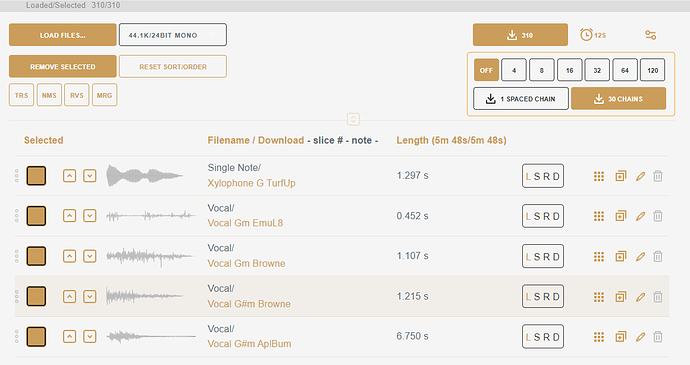
  • Using the Slice Grid option allows you to create sample chains of the files selected in the list, download with the joined button to get all the files joined together into file(s), each with up to the slice grid amounts number of samples in each file.
  • The joined spaced button will pad each sample in the chain to the length of the longest per group of files being joined, so if you choose 16 on the slice grid, you will get 16 per file, with each file padded to that length.
  • Holding the Shift key while clicking the joined buttons will add the chain files to the top of the samples list instead of outputting inside a zip file.
  • Use the per sample edit panel; to make basic edits to the samples in the list, normalize, trim silence from the end, reverse, half the playback speed, or double the playback speed – all sample edit operations are destructive! If you want to keep the original audio intact, create a duplicate with the sample duplicate icon.
  • Use the per sample slice tool to split files into slices, use the even grid options or the transient detection.
  • If you drop a .ot file in along with a sample, the slice grid will read this to slice up files prepared in the Octatrack AED, so you quickly convert Octatrack sample chains for use on the Digitakt.
  • Split loops into slices, then sort by slice# to quickly create “megabreak” sample chains.
  • Use the 120 slices grid option to create chains perfect for the Model:Samples or Analog Rytm.
  • Get off-grid by Ctrl+Clicking on the slice grid values to set your own numbers.
  • Shift+G to enter the grid view – good for those who don’t like tables (same key combo to toggle back to the list).
  • Drop URL links to .wav files to be fetched directly to the list (only works with sites that are open to Cross Origin Resource sharing – a great example is https://citizen-dj.labs.loc.gov/ ).
  • Works offline and can be installed as a desktop/mobile app on most operating systems from the browser (install as app / add to home screen).
  • All processing is done on your device, and no data is sent anywhere – open source on GitHub under the GPLv3 license.
Read More »

JavaScript frameworks and the pace of change

Being a front-end software/web/app developer, in 2015, is awesome; we have evergreen browsers from all the major providers, the amount of browser specific hacks we need to use are the fewest. So many things have changed so much for the better. JavaScript as a language is going from strength to strength with the adoption of ES6 and fantastic tools such as babel that let ES5 browsers join the party.

But the rise of JavaScript has felt like a double edged sword of late, and I’m often left feeling like Neo in the Armoury.

http://imgur.com/eFMhXZH
Tank: What do you need? Neo: npm_modules…
lots of npm_modules.

Read More »